Trenchless Technology Magazine

Digital Magazine

Materials Due Date: Creative is due 1 week prior to launch date.

Trenchless Technology Digital Magazine

  • Full Page: 8” wide x 10-1/2” high
  • Spread: 16” wide x 10-1/2” high. Acceptable files include: .pdf and .tif, 300 dpi
  • Sponsor: Full page ad: 8” wide x 10-1/2” high (PDF or TIF, 300 dpi)
  • Subscriber email recognition: Logo + 25 words
  • Skyscraper Banner: 300(w) x 600(h) with URL link, max file size 45k, JPG or GIF file

Small Diameter Trenchless Digital Magazine

  • Half Page: 7” wide x 4-7/8” tall
  • Full Page: 8” wide x 10-1/2” high
  • Spread: 16” wide x 10-1/2” high. Acceptable files include: .pdf and .tif, 300 dpi
  • Sponsor: Full page ad: 8” wide x 10-1/2” high (PDF or TIF, 300 dpi)
  • Subscriber email recognition: Logo + 25 words

Website Display Ads

Materials Due Date: Creative is due 1 week prior to launch date.

When submitting creative, please send the creative/display ad (both desktop and mobile dimensions) and the click-through URL link.

Standard Banner

Dimensions: 300(w) x 250(h) pixels

  • Click-through URL link
  • File Formats: JPG, PNG, GIF. Broadstreet ad manager, 3rd party ad servers, and javascript files are also accepted
  • Max file size: 35k
  • Max Loops: 3
  • Will not host any images for javascript or 3rd party tags
Standard Banner example

Skyscraper Banner

Dimensions: 300(w) x 600(h) pixelsMobile Dimensions: 300(w) x 250(h) pixels

  • Click-through URL link
  • File Formats: JPG, PNG, GIF. Broadstreet ad manager, 3rd party ad servers, and javascript files are also accepted
  • Max file size: 45k
  • Max Loops: 3
  • Will not host any images for javascript or 3rd party tags
Skyscraper Banner example

Leaderboard Banner

Dimensions: 728(w) x 90(h) pixelsMobile Dimensions: 320(w) x 50(h) pixels

  • Click-through URL link
  • File Formats: JPG, PNG, GIF. Broadstreet ad manager, 3rd party ad servers, and javascript files are also accepted
  • Max file size: 45k
  • Max Loops: 3
  • Will not host any images for javascript or 3rd party tags
Leaderboard Banner example

Large Leaderboard Banner

Dimensions: 970(w) x 90(h) pixelsMobile Dimensions: 320(w) x 50(h) pixels

  • Click-through URL link
  • File Formats: JPG, PNG, GIF. Broadstreet ad manager, 3rd party ad servers, and javascript files are also accepted
  • Max file size: 45k
  • Max Loops: 3
  • Will not host any images for javascript or 3rd party tags
Large Leaderboard Banner example

Interstitial Banner

Dimensions: 600(w) x 400(h) pixelsMobile Dimensions: 300(w) x 250(h) pixels

  • Click-through URL link
  • File Formats: JPG, PNG, GIF. Broadstreet ad manager, 3rd party ad servers, and javascript files are also accepted
  • Max file size: 90k
  • Will not host any images for javascript or 3rd party tags
Interstitial Banner example

Inline Banner

Dimensions: 300(w) x 250(h) pixels

  • Click-through URL link
  • File Formats: JPG, PNG, GIF. Broadstreet ad manager, 3rd party ad servers, and javascript files are also accepted
  • Max file size: 35k
  • Max Loops: 3
  • Will not host any images for javascript or 3rd party tags

Billboard Banner

Dimensions: 970(w) x 250(h) pixelsMobile Dimensions: 320(w) x 50(h) pixels

  • Click-through URL link
  • File Formats: JPG. Broadstreet ad manager, 3rd party ad servers, and javascript files are also accepted
  • Max file size: 75k
  • Will not host any images for javascript or 3rd party tags
Billboard Banner example

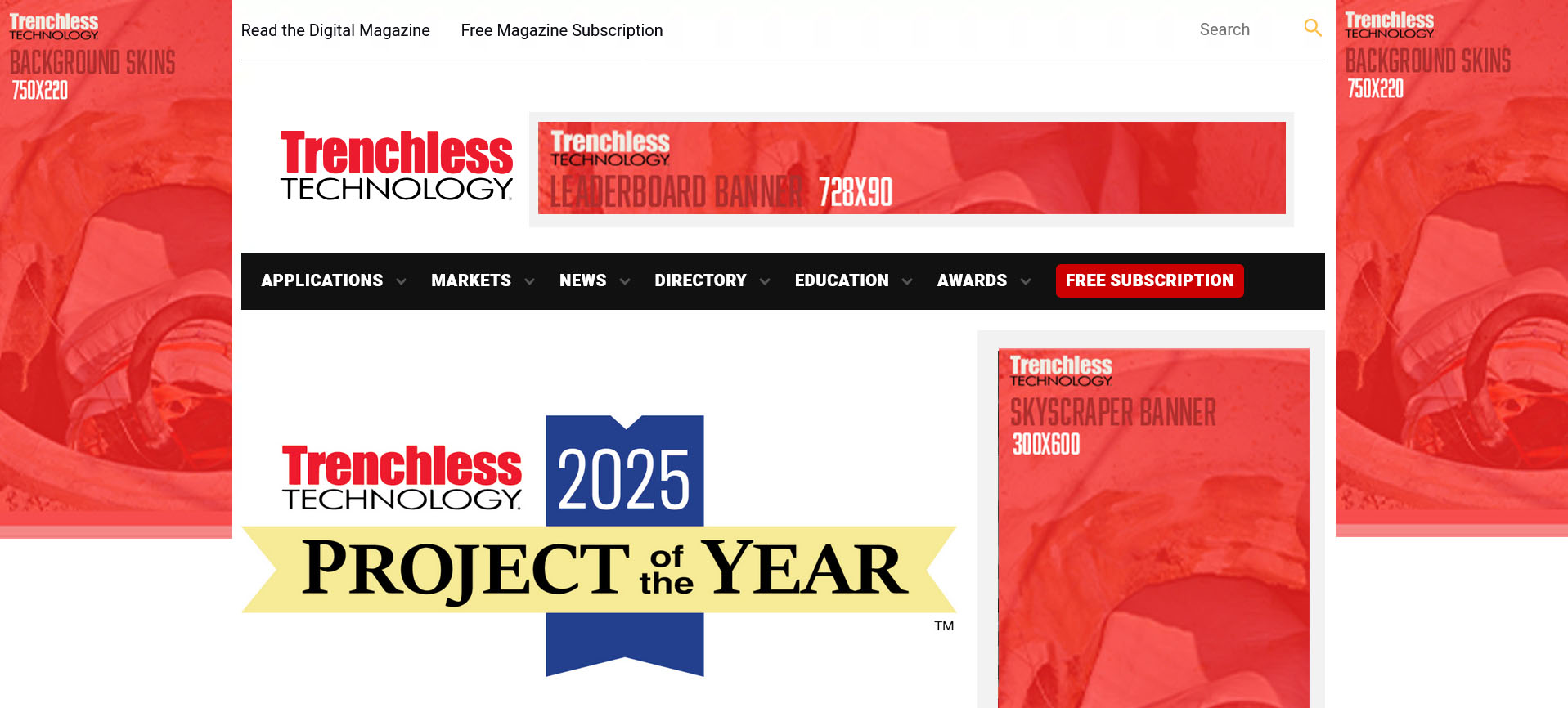
Background Skins

Dimensions: 220(w) x 750(h) pixels needed for both left and right sidesMobile Dimensions: 320(w) x 50(h) pixels

  • Click-through URL link
  • File Formats: JPG
  • Max file size: 75k
  • Will not host any images for javascript or 3rd party tags
  • Additional information: option to send separate creatives and URLs for the left and right columns
Background Skins example

Brand Booster Digital Marketing Package

Standard package:

  • Website Banner: 300(w) x 250(h) with URL link, 35K max file size, JPG or GIF
  • Newsletter Banner: 300(w) x 250(h) with URL link, 35k max file size, JPG or GIF
  • Social Media Post: 1200(w) x 630(h) image, 240 characters, and URL link

Premium package:

  • Website Banner (leaderboard): 728(w) x 90(h) pixels / Mobile Dimensions: 320(w) x 50(h) pixels. JPG, PNG or GIF files accepted. 45k max file size.
  • Website Banner (standard): 300(w) x 250(h). JPG, PNG or GIF files accepted. 45k max file size.
  • Newsletter Banner: 300(w) x 250(h) with URL link, 35k max file size, JPG or GIF
  • Social Media Post: 1200(w) x 630(h) image, 240 characters, and URL link

Newsletters

Materials Due Date: Creative is due 1 week prior to launch date.

Newsletters

Specs for the following newsletters: Pipe Relining Newsletter, Trenchless Technology Canada Newsletter, Top 50 Engineering Firms Newsletter, Project of the Year Awards Newsletter. Option of a Banner or Advertorial.

Newsletter Banner:

  • Dimensions: 300(w) x 250(h)
  • Click-through URL link
  • File types: JPG and GIF (3x max looping for GIF)

Newsletter Advertorial:

  • Headline, 30 words, image, and click-through URL link
  • Image: JPG, 72 dpi, max 1200 pixels (w), max 800 pixels (h), landscape orientation, max file size of 45k

HDD Newsletter

  • Logo
  • Banner dimensions: 600(w) x 300(h), click-through URL link, file types: JPG and GIF (3x max looping for GIF)
  • Spotlight content: 500 words, image, URL link

Municipal Trendsetters Newsletter

Premium Top Banner:

  • Dimensions: 1200(w) x 300(h)
  • Click-through URL link
  • File types: JPG and GIF (3x max looping for GIF)

Standard Banner:

  • Dimensions: 300(w) x 250(h)
  • Click-through URL link
  • File types: JPG and GIF (3x max looping for GIF)

Newsletter Advertorial:

  • Headline, 30 words, image, and click-through URL link
  • Image: JPG, 72 dpi, min 400 pixels wide, max 800 pixels wide, landscape orientation, max file size of 45k

Custom Newsletter

  • Banner: 300(w) x 250(h) with URL link
  • Company logo with URL link
  • Spotlight Advertorial: Headline
  • 35 words
  • Image: JPG, 72 dpi, min 400 pixels wide, max 800 pixels wide, landscape orientation, max file size of 45k
  • Company logo
  • Click-through URL

Content Marketing / Sponsorships

Materials Due Date: Creative is due 1 week prior to launch date.

Monthly Theme Sponsorship

  • Inline Text Ad: Thumbnail image: 400(w) x 225(h) pixels or 1280(w) x 720(h) pixels; max file size 35K
  • Text: 30 words
  • Click-through URL link
  • File Formats: JPG, PNG, GIF
  • Standard Banner: 300(w) x 250(h) pixels — click-through URL link; JPG, PNG, GIF; max file size 35k; max loops 3
  • Newsletter (banner OR advertorial): Banner 300(w) x 250(h), click-through URL link, JPG and GIF (3x max looping for GIF); or advertorial with headline, 30 words, image, and click-through URL link (image: JPG, 72 dpi, min 400 pixels wide, max 800 pixels wide, landscape orientation, max file size of 45k)
  • Social: Image 1200(w) x 630(h) pixels, 240 characters, and click-through URL link
  • Articles up to 2 (optional): Headline, up to 500 words, 1-3 high-resolution images, in-text URL links

Trenchless Innovation of the Month

  • Email: Image 1200(w) x 800(t), Headline, 150 words max, Logo & contact details
  • Website Article: Headline, up to 750 words, 1-3 images, company logo, click-through URL link
  • Newsletter: Headline, 30 words, image (400(w) x 800(t)), and click-through URL link
  • Social Media: Image 1200(w) x 630(t), 240 characters, and click-through URL link

Website Category Sponsor

  • Logo
  • Background Skins: 220(w) x 750(h) pixels needed for both left and right sides / Mobile Dimensions: 320(w) x 50(h) pixels. Click-through URL link. File Formats: JPG. Max file size: 75k. Will not host any images for javascript or 3rd party tags. Note: if using different creative for each side, please note which creative is for the left and right sides.
  • Article Post: headline, 400–1500 words, 1-5 images or video, contact information
  • Social Media Post: 1200(w) x 630(h) image, 240 characters, and URL link
  • Inline Banner Ad: 300(w) x 250(h) pixels. JPG, PNG or GIF file formats. Max file size 35k. Include URL link.

Thought Leadership Guest Column

  • Half Page Column: headline + 350 words + image or speaker headshot
  • Full Page Column: headline + 650 words + 1-2 images and speaker headshot

Sponsored Content Marketing & Lead Gen Program

  • Sponsored Content: Provide final document in PDF format
  • Landing Page Questions: Provide up to 2 custom questions to add to the landing page form (multiple choice or open ended)
  • Email: Image 1200(w) x 800(t), Headline, 150 words max, Logo & contact details
  • Newsletter: Headline, 30 words, image 400(w) x 800(t)
  • Social Media: 1200(w) x 630(h) image, 240 characters
  • Note: all marketing promotions will link to the sponsored content landing page.

Special Reports

  • Sponsored Content: headline, 650–1,600 words, 3-5 images, contact information
  • Full Page Ad: 8” wide x 10-1/2” high (PDF or TIF, 300 dpi)
  • Color Logo

60 Seconds in the Spotlight Video

  • Video: 60 seconds video file
  • Email: Image 1200(w) x 800(t), Headline, 125 words max, logo & contact details

3rd Party Emails

Materials Due Date: Creative is due 1 week prior to launch date.

What We Need From You

When you want to send an email campaign through Benjamin Media, you need to provide us with a specially formatted email file. Think of it like giving us the blueprint for your email.

You’ll need to send us:

  • An HTML email file (this is the coded version of your email)
  • If you have multiple files, put them in a zip folder

Images and Pictures

  • Use full web addresses for images – Instead of just “photo.jpg”, use the complete web address like “https://yourwebsite.com/images/photo.jpg”
  • Include descriptions for all images – This helps people who can’t see images understand what they show (this is called “ALT text”)

Email Design Requirements

  • Make it work on phones and computers – Your email should look good whether someone opens it on their desktop or mobile phone
  • Keep it narrow – Don’t make your email wider than 680 pixels (about the width of a standard email window)
  • No interactive features – Things like pop-ups, animations, or clickable buttons that run code won’t work in emails

Technical Notes (For Your Designer)

If you’re working with a web designer or developer, share these guidelines with them. Email coding is different from website coding:

  • Style instructions should be written directly in the email code, not in separate files
  • Use table layouts instead of modern web layouts
  • Use “padding” for spacing, not “margins”
  • Always use complete web addresses, never shortened ones
  • Always include image descriptions, even if they’re blank

Legal Requirements

Anti-Spam Laws: By law, every marketing email must include:

  • The sender’s physical address
  • A way for people to unsubscribe

Don’t worry – Benjamin Media will automatically add our address and unsubscribe information to your emails to keep everything legal.

Important Disclaimer

Email appearance can vary – Your email might look slightly different depending on whether someone opens it in Gmail, Outlook, Yahoo, or other email programs. This is normal and beyond anyone’s control, as each email service displays things a bit differently.

Benjamin Media is not responsible for email differences in various browsers and email clients.

Have questions? Contact Benjamin Media for help with your email campaign requirements.

Provided HTML Eblast

  • HTML file
  • Subject Line
  • Preheader (optional)

Basic Template Email Blast

  • Subject Line
  • Preheader (optional)
  • Headline
  • Body: up to 500 words and any in-text links
  • 1-2 high resolution images
  • Company logo with URL link